Customer Ratings Added On Helpdesk Ticket Closure

Customer ratings can be sent out in 4 ways:

  1. On completing a job card in lead to receipt. (This needs to be enabled in sales setup.)
  2. On closing a helpdesk ticket. (This needs to be enabled in helpdesk settings.)
  3. Customer can add a service rating at any time from their customer portal. (This can be enabled in sales setup.)
  4. An admin user of the system can request a service rating from a customer from the Edit Customer screen.

This post only looks at service ratings sent out on closure of helpdesk tickets.

(more…)

How To Use Categories As Debtor Note Templates

Debtors notes can be added to show on the Edit Customer (Customer Profile) screen. A new feature has been added to manage these debtor note templates as categories in the Categories screen.

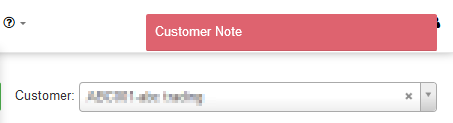
Debtor notes can also be set to pop up automatically on the Edit Customer screen when there is one or more auto popup notes on the selected customer. The note will then pop up each time the Edit Customer screen is opened.

(more…)

Google Places Autocomplete On Address Searches

Webinar:  Google Maps API configuration


Enable Google Places autocomplete on addresses on your system for faster and more accurate address searches on your DataTill system.

You will need to add a Google Places API key for this address search function to work.


Note:

Google Maps is compulsory to use with DataTill,

Google Maps Places is an optional product and can be switched off on your DataTill setup.

Refer to the following blog about the Google Maps API that changed and how it affects your DataTill: https://www.datatill.com/google-maps-api-has-been-changed/


Default “Submit a Sales Lead” screen:

The default address fields does not have an address search field included as you need the Google Places API key to search, but these address fields and maps still uses Google Maps.

(more…)
Social Media Logins On DataTill

Tired of remembering passwords for your accounts across the internet? You can log in with your social media accounts on DataTill.

This feature works for admin users and for customers on the customer portal.

How to link your DataTill account with a social media account:

Go to “My Account” at the top right corner of the screen.

(more…)

MikroTik Hotspot Guide Updated

The MikroTik hotspot setup guide has been updated with a walk through on how to set up the hotspot using Winbox. Follow this link to view the updated hotspot setup guide: datatill.com/guides/hotspot-setup-guide/  

VOIP Usage Imports For Billing Purposes

DataTill is no longer doing new Asterisk API integrations, but you can import your VOIP usage so that you can bill your customers.

Manual VOIP usage importing tools can by found at Customers –> Import VOIP Usage

Then choose the type of import that want to match with your import file.

The current VOIP usage import types that are available are:

  • Generic
  • Internet Solutions
  • PortaBilling
  • Vodacom

There are more import types to come.

Each of these types have sample files you can download at step 1 of the import that you can compare your import file with.

(more…)